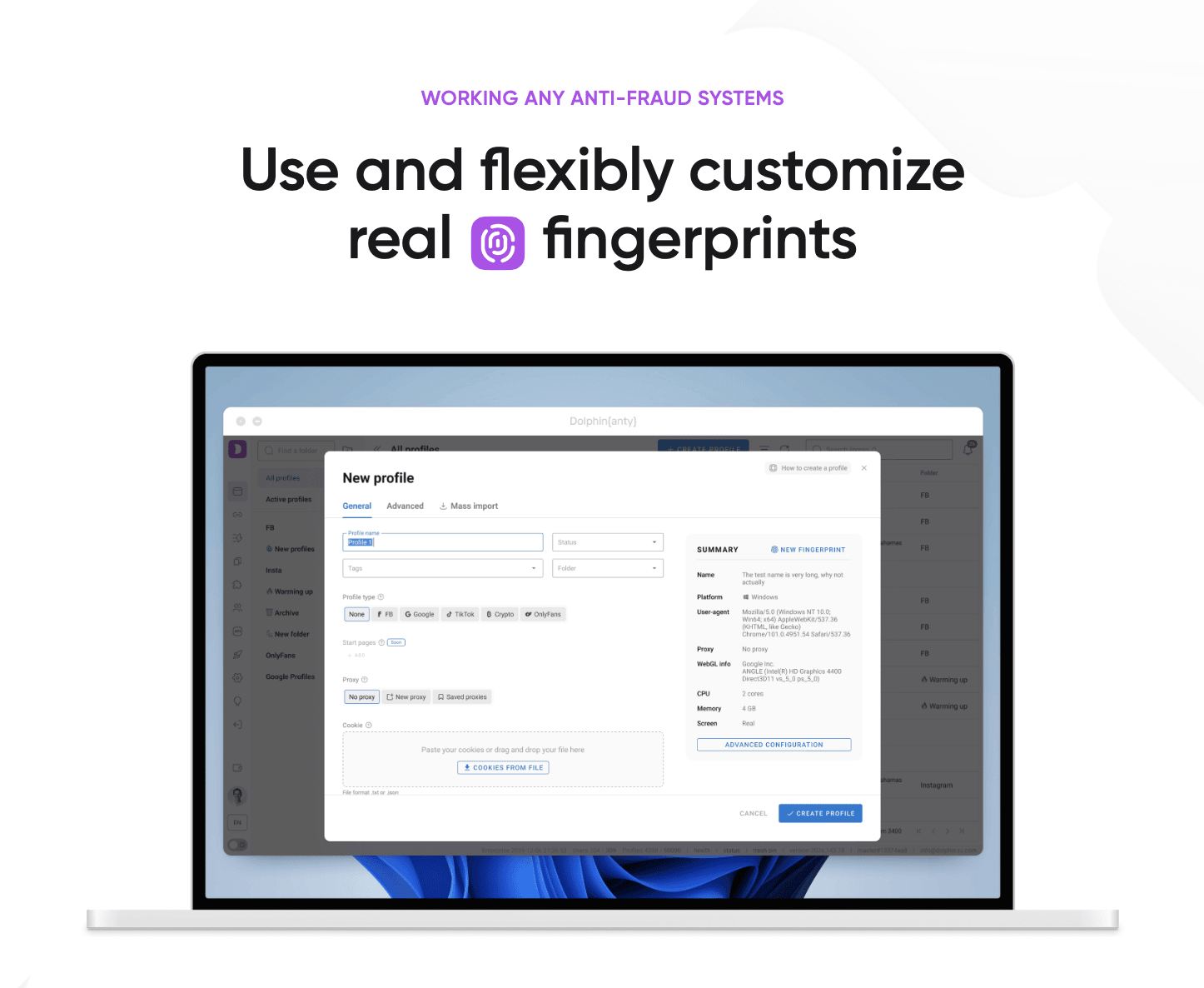
How to Integrate ProxyTee with Dolphin{anty} (Step-by-Step Guide)
Learn how to configure ProxyTee rotating residential proxies (HTTP & SOCKS5) inside Dolphin{anty} anti-detect browser profiles for multi-account management and ad verification.
Step-by-step tutorial on integrating ProxyTee unlimited residential proxies (HTTP & SOCKS5) with Dolphin{anty} anti-detect browser profiles.
Dolphin Anty, a trusted anti-detect browser, is widely used for managing multiple online identities. ProxyTee, a powerful residential proxy provider with unlimited bandwidth, complements Dolphin Anty perfectly by delivering clean, reliable IPs. This guide will show how to use ProxyTee residential proxies inside Dolphin Anty’s profile-based system. Whether you run ad campaigns, scrape data, or manage social media accounts, this integration can help you operate more efficiently and with greater control.
What Makes ProxyTee a Reliable Proxy Solution
ProxyTee offers rotating residential proxies with unlimited bandwidth, tailored for a variety of online activities requiring IP rotation and privacy. Recognized for its cost-effectiveness and reliability, ProxyTee provides access to a vast network of residential IPs and user-friendly integration tools.
Key Features:
- Unlimited Data Usage: Every plan includes unlimited bandwidth, enabling you to scrape, stream, or handle high-volume projects without worrying about data caps or extra fees.
- Global IP Coverage: Tap into a diverse pool of residential IPs with support for both HTTP and SOCKS5, perfect for automation, scraping, and collecting data across regions.
- Multiple Protocol Support: With compatibility for both HTTP and SOCKS5 protocols, you can easily incorporate ProxyTee into most tools, platforms, or scripts.
- Automatic IP Rotation: Stay under the radar with built-in IP rotation. Your address can change at set intervals to minimize the risk of bans and ensure anonymity.
- User-Friendly Dashboard: Manage your proxies with ease through a clean and streamlined interface, no need to deal with complicated settings.
- Developer-Friendly API: Advanced users can take advantage of a straightforward API to automate and scale proxy operations across custom workflows.
- Budget-Friendly Plans: Enjoy premium residential proxies at affordable rates, with multiple port options to suit different needs.
Why Combine ProxyTee with Dolphin Anty
Integrating ProxyTee and Dolphin Anty creates a solid foundation for anyone needing reliable identity masking, proxy rotation, and browser fingerprint management. ProxyTee offers unlimited residential IP bandwidth, which is critical for high-volume tasks like traffic simulation and geo-targeted testing. Dolphin Anty manages browser fingerprints and isolates sessions, letting you run multiple profiles without detection. Using them together provides better consistency across operations and minimizes the risk of bans or account restrictions.How to Use ProxyTee
Before you begin managing proxies, you’ll need to set up and activate your ProxyTee account. Just follow these easy steps to get everything ready.1⃣ Register and Sign In
If you haven’t created an account yet, signing up on ProxyTee takes less than a minute. Once you’re registered, sign in to reach your dashboard.
2⃣ Access the Dashboard
After logging in, head to your ProxyTee dashboard. This is your main control center where you can view and manage all active proxies.
3⃣ Activate Your Trial or Choose a Subscription
If you’ve been given trial access, you’ll find your preloaded proxies directly in the dashboard. You can start using them by checking the Proxy Usage Guide below.
If there’s no trial linked to your account, simply click the Buy Product button in the dashboard to browse available proxy plans.
4⃣ Choose a Proxy Plan
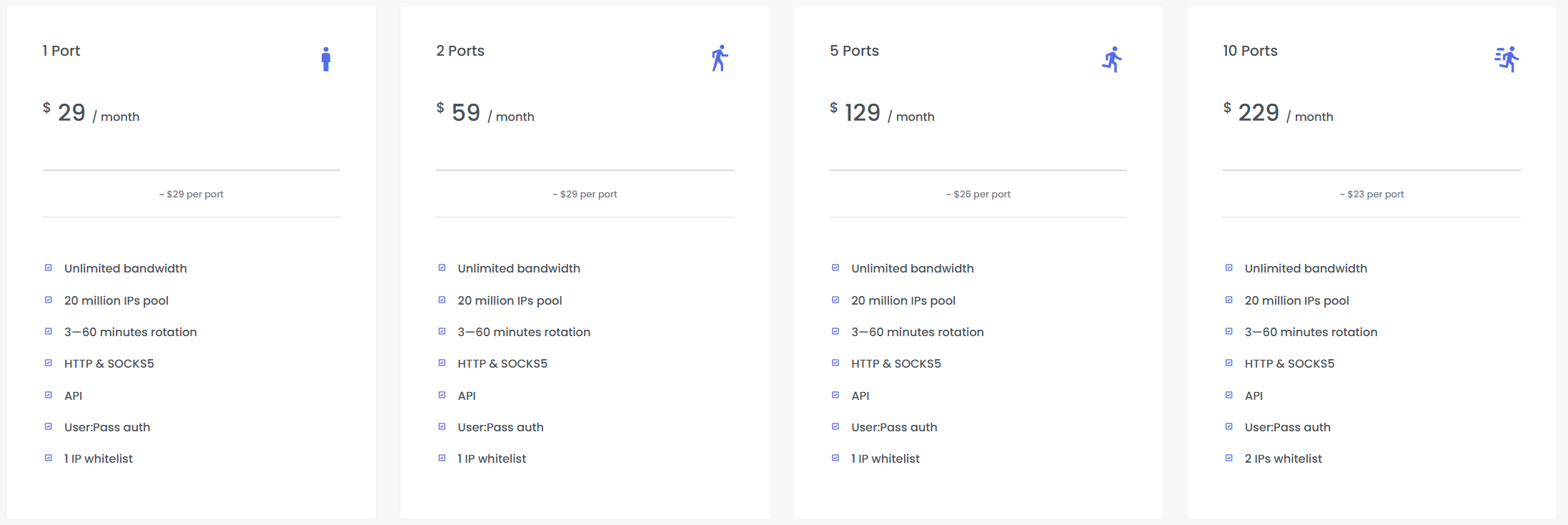
Select from several port-based packages that match your needs — including options for 1 port, 2 ports, 5 ports, 10 ports, 25 ports, 50 ports, 100 ports, and beyond. For larger setups or personalized solutions, reach out to the ProxyTee support team.
5⃣ Choose Your Payment Method
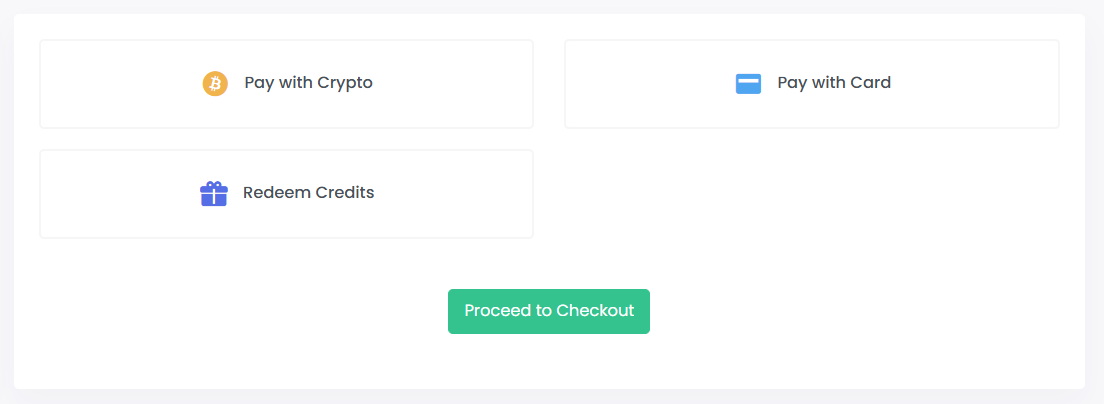
ProxyTee offers flexible payment options:
- Pay with cryptocurrency
- Pay with credit or debit card
- Redeem credits (if you already have balance in your account)
Use our exclusive 10% discount promo code for Dolphin Anty users: DOLPHINANTY10
Once you’ve selected your method, click Proceed to Checkout.
6⃣ Activate Your Proxies
After successful payment, your purchased proxy ports will automatically appear in your dashboard.
For each proxy, you get essential information at a glance, including its Name, the specific Address (IP address), the number of Ports available, and whether security features like Whitelist and User-Pass authentication are active. Need to target a specific region? The Country column show where your proxy server is situated. Never miss an interruption with the Expiration Date column, which keeps you informed about your subscription status. Here’s an overview of each field displayed: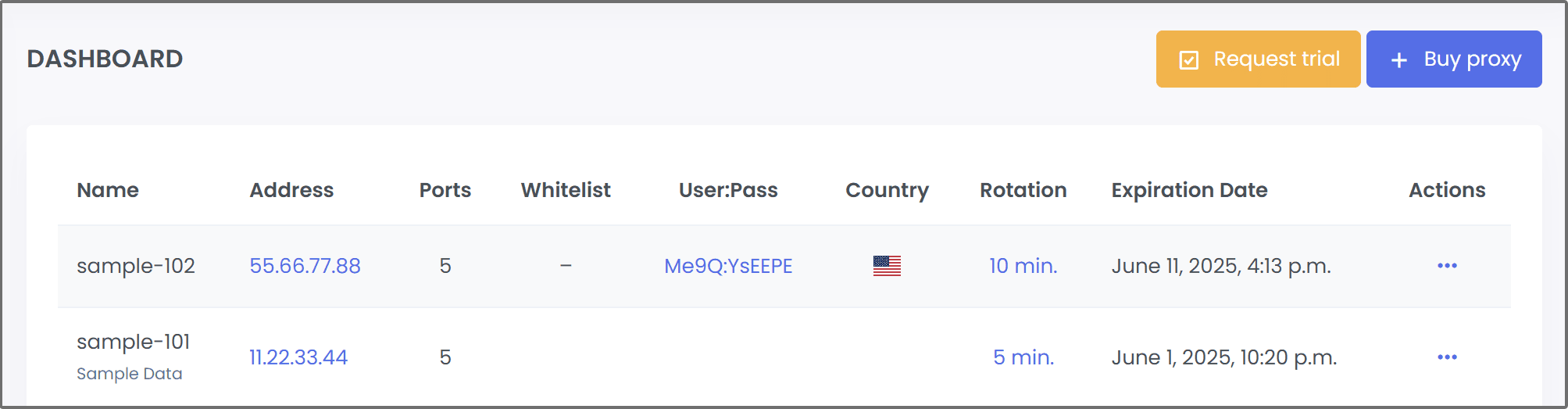
How to Integrate ProxyTee with Dolphin Anty
Click on your purchased proxy in the ProxyTee dashboard. This will display the protocol type - select either HTTP or SOCKS5, based on your preference. Note the proxy's IP address and the associated ports.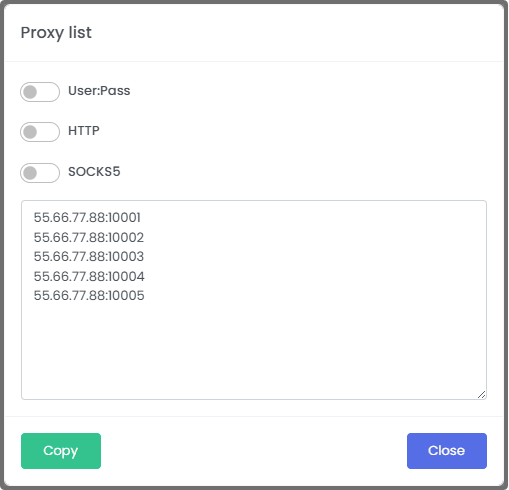
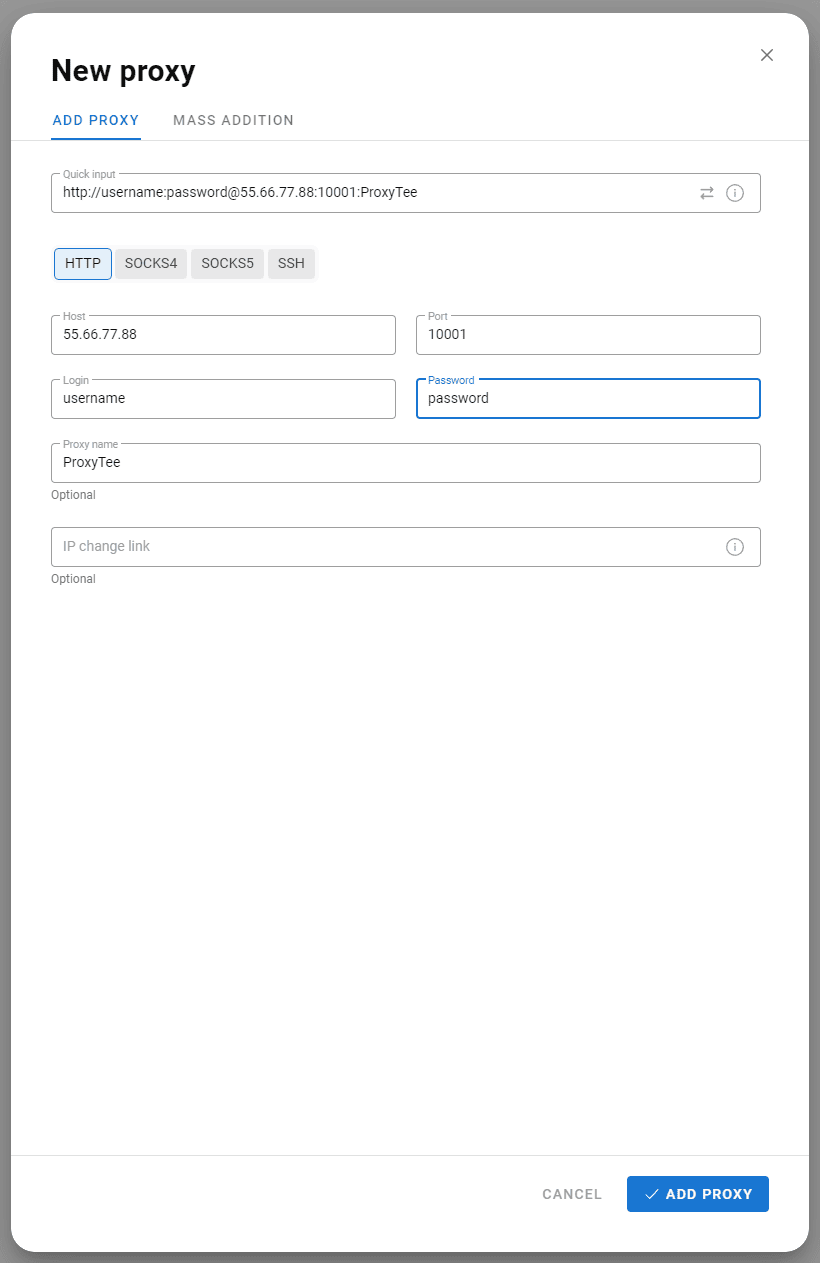
Open Dolphin Anty and select the appropriate proxy type (HTTP or SOCKS5) based on your ProxyTee configuration. Then, enter your proxy details into the required fields. Once the proxy test completes successfully, click the “Add Proxy” button to finalize the setup.
Optimization Tips for Better Results
Getting the most out of your ProxyTee and Dolphin Anty setup means going beyond basic configuration. Here are tips to help improve stability and effectiveness:
- Use static residential IPs from ProxyTee for tasks that require long sessions, such as account creation or checkout processes.
- Create a naming system in Dolphin Anty for organizing profiles by location, task, or platform.
- Take advantage of Dolphin Anty’s built-in fingerprint generator to vary settings like WebGL, canvas, timezone, and hardware info.
- Refresh your ProxyTee proxy pool every few days if you’re using rotating IPs for scraping or ad checks.
- Test each proxy inside Dolphin Anty before assigning it to high-value accounts to avoid disruptions later.
Make Your Workflow More Efficient with This Integration
Integrating ProxyTee with Dolphin Anty gives you better control over your online presence, greater anonymity, and stronger operational reliability. Whether you’re running marketing experiments, verifying search results, or conducting outreach campaigns, this setup helps you move fast while staying undetected. You get residential IP flexibility from ProxyTee and anti-detect browser from Dolphin Anty. The combination is highly adaptable and scales well for both solo users and enterprise teams. Explore their integration today to streamline your work across platforms and projects. Claim your exclusive 10% discount with promo code DOLPHINANTY10 - don't miss out!Comparing Dolphin{anty} Across the ProxyTee Partner Ecosystem
Dolphin{anty} is one of 14 official technology partners in the ProxyTee Partner Ecosystem, alongside GeeLark, DuoPlus Cloud Mobile, and DICloak. Whether you assign US residential proxies, UK residential proxies, or Germany residential proxies to your browser profiles, every Unlimited Residential Proxy port includes unmetered bandwidth starting at $29/month. Before deploying production profiles, you can also test connectivity with our live Free Proxy List & Checker or compare port costs in our Proxy Provider Benchmark Hub.
To further harden your data collection pipeline against rate limits, check out our resources on Facebook & Meta Ads Verification Proxies, AdsPower Proxy Integration, Dolphin{anty} Proxy Integration, and ProxyTee vs. Bright Data to benchmark unmetered port performance against legacy per-GB providers.
Frequently Asked Questions
username:password credentials and IP Whitelisting. Most anti-detect browsers and cloud phones work seamlessly with SOCKS5 or HTTP using username:password authentication.Principal infrastructure engineer at ProxyTee specializing in rotating residential proxy networks, SOCKS5/HTTP tunneling, TLS fingerprint mitigation, and distributed data extraction pipelines.